



Stop sensitive data from leaving your organisation
Intravex DLP finds the sensitive data stored on every endpoint, classifies files into four levels and enforces policy on USB, cloud, the browser, e-mail and print. Detectors for FIN, VÖEN and AZ IBAN work right after installation.
| Time | Channel | File and user | Detected | Action |
|---|---|---|---|---|
| 09:41 | USB | payroll_2026.xlsxaysel@hr-pc-01 | FIN ×312 | Blocked |
| 09:38 | chat.openai.com | paste, 4 linesmurad@fin-pc-07 | IBAN ×4 | Blocked |
| 09:31 | OneDrive | contract_2026.pdfleyla@legal-03 | VÖEN ×2 | Audited |
| 09:22 | Outlook | customer_list.csvkamran@sales-12 | Card ×85 | Quarantined |
| 09:15 | passport_scan.jpgnigar@fin-pc-02 | Passport ×1 | Audited |
Sample data. Names and numbers are made up.
Capabilities
Discovery and classification
Files are classified as Public, Internal, Confidential or Restricted. The data map shows how much sensitive data sits on each host.
USB, cloud and network shares
A sensitive file copied to a USB drive, a OneDrive or Dropbox folder or a network share is quarantined and an incident is opened.
Browser and AI services
A Chrome and Edge extension checks uploads, drag and drop and pastes before the data reaches the site.
E-mail and print
An Outlook guard checks attachments before they are sent. Printing follows the same policy.
Labels and policy simulator
Labels follow every copy of a file. The simulator shows a rule's effect before you enforce it.
Reveal with a written reason
Captured values are masked. An analyst can reveal them only with a written reason, and the step is written to the audit log.
How it works
- 1
Discover
The agent scans folders and finds sensitive data.
- 2
Classify
Every file gets one of four levels and a label.
- 3
Control
A policy per channel: allow, audit, block, quarantine.
- 4
Investigate
Incident, masked evidence and export to your SIEM.
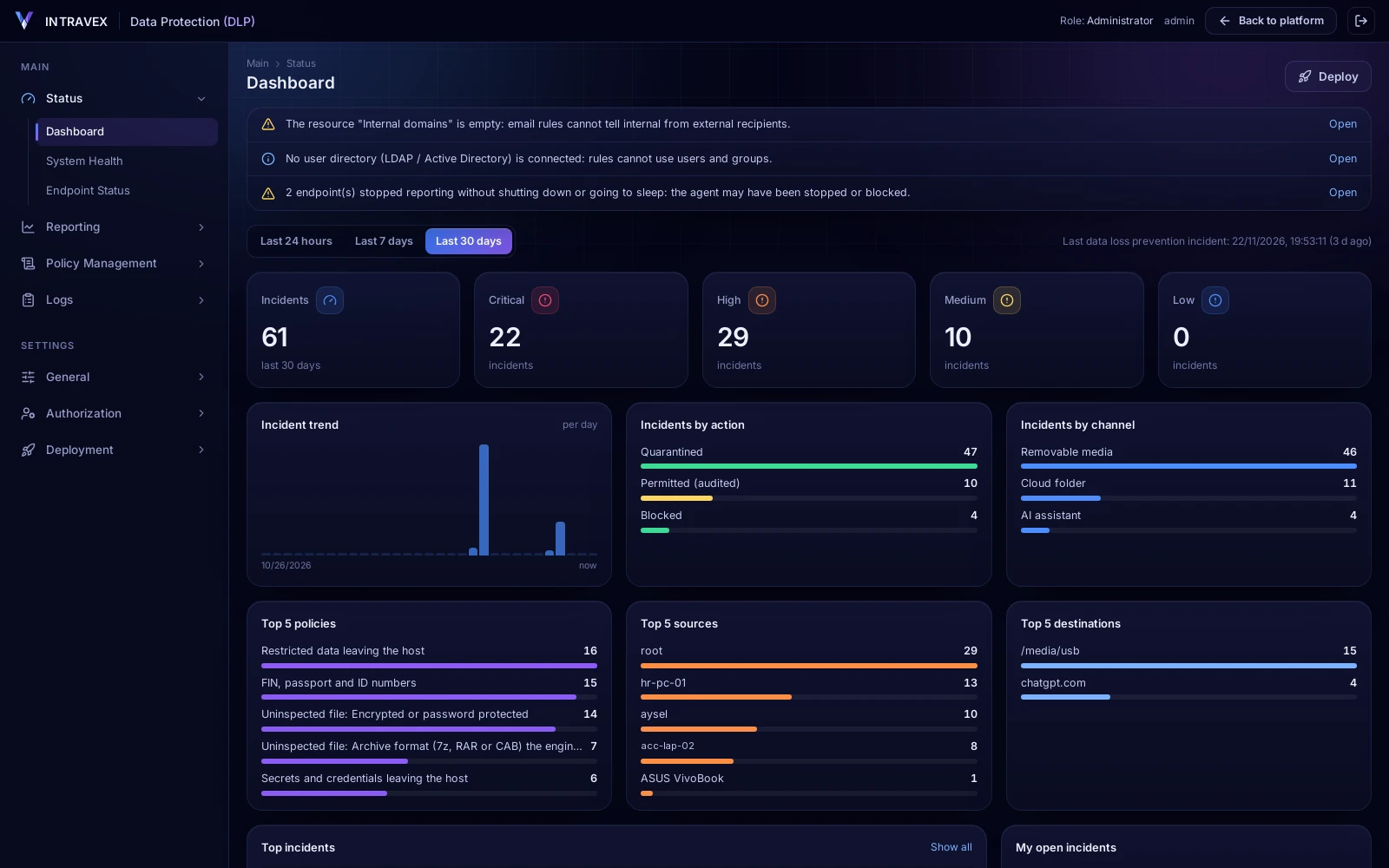
Inside the console
Specifications
| Agent | Intravex DLP agent: Windows (MSI, service), macOS (pkg) |
|---|---|
| Channels | USB, cloud sync folders, network shares, Chrome and Edge, Outlook, print |
| Data types | FIN, VÖEN, IBAN, card numbers, passports, credentials and secrets, medical and payroll data, custom detectors |
| Formats | PDF, Office, archives, images (built-in OCR) |
| Integration | SIEM export, signed webhooks, API |
| Reports | DLP incidents, Data discovery |
Frequently asked questions
Does DLP send files to a cloud?
No. Content analysis and OCR run on the endpoint. Only the result and the evidence it needs go to the server, which runs on your infrastructure.
Is macOS supported?
Yes. The DLP agent runs on Windows and macOS, and both are managed from the same console with the same policies.
Can we buy DLP without the other products?
Yes. DLP is licensed on its own and ships with its own agent.
Try Intravex in your own environment
After a 30-minute demo we set up a pilot on your infrastructure together.